Enums & Pattern Matching
Enums allow you to define a type by enumerating its possible variants. Unlike structs, which group related data together, enums let you say a value is one of a possible set of values. Enums are incredibly powerful in Rust, especially when combined with pattern matching.
Defining Enums
Here's a simple enum:
enum IpAddrKind {
    V4,
    V6,
}

let four = IpAddrKind::V4;
let six = IpAddrKind::V6;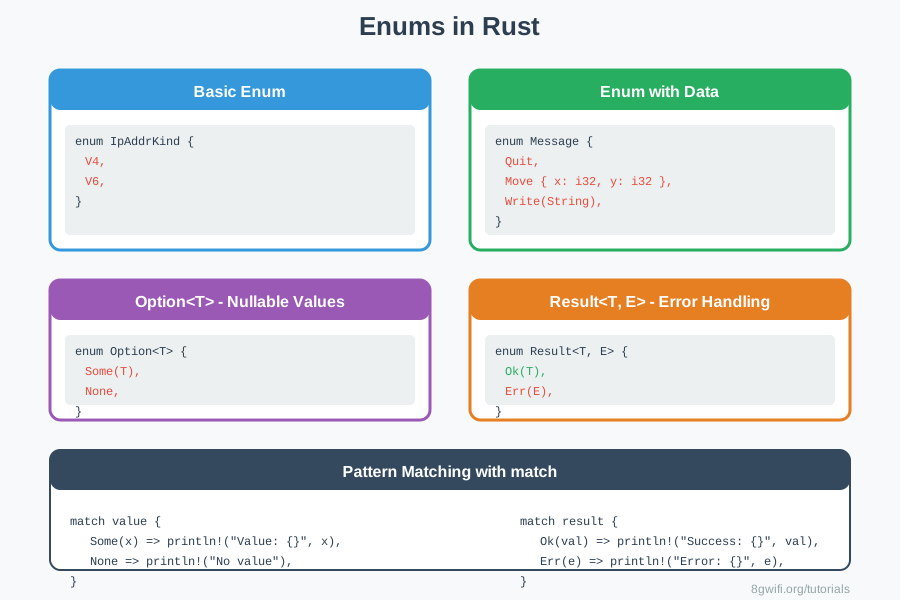
Enums with Data
Enum variants can have associated data:
Click Run to execute your code
The Option Enum
Rust doesn't have null. Instead, it has Option<T>:
enum Option {
    Some(T),
    None,
}
Option<T> is so useful it's included in the prelude - you
don't
need to import it!
Click Run to execute your code
Option<T>,
Rust forces you to handle the
case where a value might be absent, preventing null pointer errors at compile
time!
The Result Enum
Result<T, E> is used for error handling:
enum Result {
    Ok(T),
    Err(E),
}
Click Run to execute your code
Pattern Matching with match
The match expression is extremely powerful for working with enums:
enum Coin {
    Penny,
    Nickel,
    Dime,
    Quarter,
}

fn value_in_cents(coin: Coin) -> u8 {
    match coin {
        Coin::Penny => 1,
        Coin::Nickel => 5,
        Coin::Dime => 10,
        Coin::Quarter => 25,
    }
}match expressions must be
exhaustive - you must handle
every possible case!
Matching with Data
You can extract data from enum variants:
enum Message {
    Move { x: i32, y: i32 },
    Write(String),
}

fn process(msg: Message) {
    match msg {
        Message::Move { x, y } => {
            println!("Move to ({}, {})", x, y);
        }
        Message::Write(text) => {
            println!("Text: {}", text);
        }
    }
}
The if let Syntax
For when you only care about one variant:
let some_value = Some(3);

// Using match
match some_value {
    Some(3) => println!("three"),
    _ => (),
}

// Using if let - more concise!
if let Some(3) = some_value {
    println!("three");
}
Enum Methods
Enums can have methods just like structs:
enum Message {
    Quit,
    Move { x: i32, y: i32 },
    Write(String),
}

impl Message {
    fn call(&self) {
        match self {
            Message::Quit => println!("Quit"),
            Message::Move { x, y } => println!("Move to ({}, {})", x, y),
            Message::Write(text) => println!("Write: {}", text),
        }
    }
}
Common Option Methods
| Method | Description | Example |
|---|---|---|
is_some() |
Returns true if Some | value.is_some() |
is_none() |
Returns true if None | value.is_none() |
unwrap_or(default) |
Returns value or default | value.unwrap_or(0) |
map(f) |
Transform the value | value.map(|x| x * 2) |
Best Practices
- Use Option instead of null: Prevents null pointer errors
- Use Result for error handling: Makes errors explicit
- Prefer match for exhaustive handling: Compiler ensures all cases covered
- Use if let for single variant: More concise when you only care about one case
- Add methods to enums: Encapsulate behavior with the data
- Use descriptive variant names: Make code self-documenting
Common Mistakes
1. Not handling all enum variants in match
// Wrong - Not exhaustive
enum Coin {
    Penny,
    Nickel,
    Dime,
    Quarter,
}

fn value(coin: Coin) -> u8 {
    match coin {
        Coin::Penny => 1,
        Coin::Nickel => 5,
        // Error: non-exhaustive patterns
    }
}

// Correct - Handle all cases
fn value(coin: Coin) -> u8 {
    match coin {
        Coin::Penny => 1,
        Coin::Nickel => 5,
        Coin::Dime => 10,
        Coin::Quarter => 25,
    }
}
2. Using unwrap() without checking Option/Result
// Wrong - Can panic at runtime
let value = some_option.unwrap();  // Panics if None
let result = some_result.unwrap();  // Panics if Err

// Correct - Handle the cases properly
match some_option {
    Some(value) => println!("Value: {}", value),
    None => println!("No value"),
}

// Or use unwrap_or for defaults
let value = some_option.unwrap_or(0);
3. Forgetting to use :: for enum variants
// Wrong - Missing :: operator
enum IpAddrKind {
    V4,
    V6,
}

let addr = V4;  // Error: cannot find value `V4` in this scope

// Correct - Use :: to access enum variants
let addr = IpAddrKind::V4;
4. Not extracting data from enum variants properly
// Wrong - Can't access variant data directly
enum Message {
    Write(String),
    Move { x: i32, y: i32 },
}

let msg = Message::Write(String::from("hello"));
println!("{}", msg.text);  // Error: no field `text`

// Correct - Use match or if let to extract
match msg {
    Message::Write(text) => println!("{}", text),
    Message::Move { x, y } => println!("Move to ({}, {})", x, y),
}
Exercise: Enums Practice
Task: Implement enums for shapes and web events.
Click Run to execute your code
Show Solution
enum Shape {
    Circle(f64),
    Rectangle(f64, f64),
    Triangle(f64, f64),
}

impl Shape {
    fn area(&self) -> f64 {
        match self {
            Shape::Circle(r) => std::f64::consts::PI * r * r,
            Shape::Rectangle(w, h) => w * h,
            Shape::Triangle(b, h) => 0.5 * b * h,
        }
    }
}

enum WebEvent {
    PageLoad,
    PageUnload,
    KeyPress(char),
    Click { x: i64, y: i64 },
}

impl WebEvent {
    fn inspect(&self) {
        match self {
            WebEvent::PageLoad => println!("Page loaded"),
            WebEvent::PageUnload => println!("Page unloaded"),
            WebEvent::KeyPress(c) => println!("Key pressed: {}", c),
            WebEvent::Click { x, y } => println!("Clicked at ({}, {})", x, y),
        }
    }
}

fn find_first_even(numbers: Vec) -> Option {
    for num in numbers {
        if num % 2 == 0 {
            return Some(num);
        }
    }
    None
}

fn safe_sqrt(x: f64) -> Result {
    if x < 0.0 {
        Err(String::from("Cannot take square root of negative number"))
    } else {
        Ok(x.sqrt())
    }
}
Summary
- Enums define a type by enumerating variants
- Variants can have associated data
- Option<T> replaces null - Some(T) or None
- Result<T, E> for error handling - Ok(T) or Err(E)
- match expression for pattern matching
- Match must be exhaustive
- if let for matching single variant
- Enums can have methods via impl blocks
- Enums are zero-cost abstractions
- Pattern matching is compile-time checked
What's Next?
Congratulations! You've completed the Structs & Enums module. You now know how to create custom types with structs and enums, add methods to them, and use pattern matching to handle different cases safely.
In the next modules, you'll learn about collections (vectors, strings, hash maps), error handling in depth, and more advanced Rust features that build on these foundations.
Enjoying these tutorials?