Switch Statements
The switch statement is an alternative to long chains
of else-if statements. It selects one of many code blocks to be
executed based on the value of a variable.
Traditional Switch Syntax
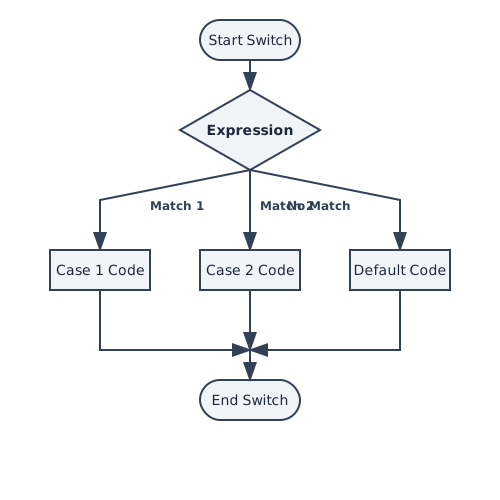
It checks a variable against a list of values (cases). When a match is found, the code for that case is executed.
switch (variable) {
    case value1:
        // Code
        break;
    case value2:
        // Code
        break;
    default:
        // Code if no match (optional)
}
The
break Keyword: This is critical. Without
break, execution "falls through" to the next case, even if it
doesn't match!
Supported Data Types
You can use switch with:
byte,short,char,intString(since Java 7)Enums
Output
Click Run to execute your code
Modern Switch Expressions (Java 14+)
Modern Java introduced a cleaner syntax that eliminates the need for
break statements and can return values directly.
// Old Way
String dayType;
switch (day) {
    case "Sat":
    case "Sun":
        dayType = "Weekend";
        break;
    default:
        dayType = "Weekday";
}

// New Way (Arrow Syntax)
String dayType = switch (day) {
    case "Sat", "Sun" -> "Weekend"; // Multiple labels, no fall-through
    default -> "Weekday";
};
Best Practice: Use the new Arrow Syntax (
->)
whenever you are using a recent version of Java. It's concise and less
error-prone.
Summary
- Use
switchfor selecting one path among many fixed options (like menu items, days of week). - In traditional switch, always remember the
breakkeyword to stop execution. - The
defaultcase runs if no other case matches. - Modern Java (14+) offers "Switch Expressions" with
->syntax which are safer and cleaner.
Enjoying these tutorials?