If-Else Statements
Control flow allows your program to make decisions. The most basic
building block of decision making is the if statement.
The if Statement
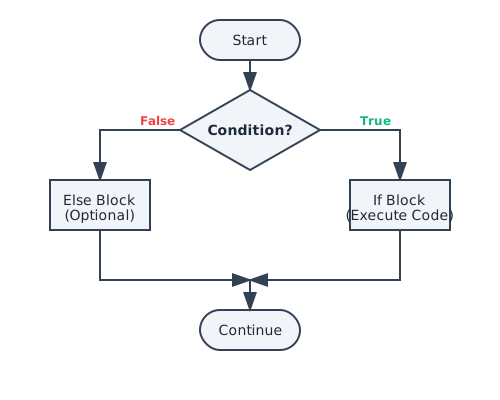
The if statement tells Java to execute a block of code only
if a specific condition is true.
if (condition) {
    // Code to execute if condition is true
}
The else Block
Use else to specify a block of code to be executed if the condition
is false.
if (age >= 18) {
    System.out.println("You are an adult.");
} else {
    System.out.println("You are a minor.");
}
The else-if Ladder
When you have multiple conditions to check, use else if. Java checks
them in order properly.
if (score >= 90) {
    grade = 'A';
} else if (score >= 80) {
    grade = 'B';
} else {
    grade = 'C';
}
Click Run to execute your code
Common Pitfalls
Missing Braces
Java allows omitting braces {} if there is only one line of
code. Avoid this practice. It leads to bugs if you add a
second line later and forget to add braces.
// BAD (Dangerous)
if (isLogged)
    System.out.println("Welcome");

// GOOD (Safe)
if (isLogged) {
    System.out.println("Welcome");
}
Summary
- Use
ifto execute code based on a condition. - Use
elsefor the alternative path. - Use
else iffor multiple conditions. - Always use curly braces
{}to group your code blocks cleanly.
Enjoying these tutorials?