Union Types
Union types allow a value to be one of several types using OR logic. They provide flexibility while maintaining type safety.
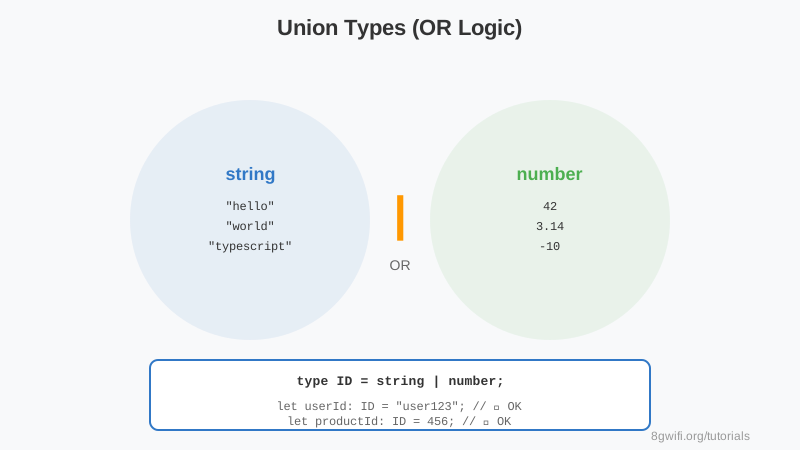
Basic Union Types
Output
Click Run to execute your code
Union Type Syntax: Use the pipe symbol
| to combine types: type A = string | numberWhen to Use Union Types
- Flexible IDs: Accept both string and number IDs
- Status values: Limited set of string literals
- Optional data: Value or null/undefined
- API responses: Success data or error
Type Narrowing
Use type guards to narrow union types:
function process(value: string | number) {
    if (typeof value === "string") {
        // TypeScript knows it's a string here
        console.log(value.toUpperCase());
    } else {
        // TypeScript knows it's a number here
        console.log(value.toFixed(2));
    }
}
Common Mistakes
1. Accessing Properties Without Narrowing
type Result = { success: true; data: string } | { success: false; error: string };

function handle(result: Result) {
    console.log(result.data);  // ✗ Error! 'data' doesn't exist on both types
}

// ✓ Correct - narrow the type first
function handle(result: Result) {
    if (result.success) {
        console.log(result.data);  // ✓ OK
    } else {
        console.log(result.error);  // ✓ OK
    }
}
2. Too Many Union Members
// ✗ Hard to maintain
type Data = string | number | boolean | null | undefined | object | any[];

// ✓ Better - use more specific types
type StringOrNumber = string | number;
type Nullable = T | null;
Best Practice: Keep unions simple (2-4 types).
For complex scenarios, consider discriminated unions.
Summary
- Union types use
|for OR logic - Value can be ANY of the specified types
- Use type guards to narrow types
- Perfect for flexible function parameters
Enjoying these tutorials?